OpenCV-CameraCalibration-Example
FishEyeCameraCalibration.mp4
OpenCVを用いたカメラキャリブレーションのサンプルです
2021/06/21時点でPython実装のある以下3種類について用意しています。
- 通常カメラ向け
- 魚眼レンズ向け(fisheyeモジュール)
- 全方位カメラ向け(omnidirモジュール)
全方位カメラは以下のような構造のカメラを想定しています。

画像はWikipediaのOmnidirectional (360-degree) cameraから引用
Requirement
- opencv-python 4.5.2.54 or later
- opencv-contrib-python 4.5.2.54 or later ※omnidirモジュールを使用する場合のみ
Calibration Pattern
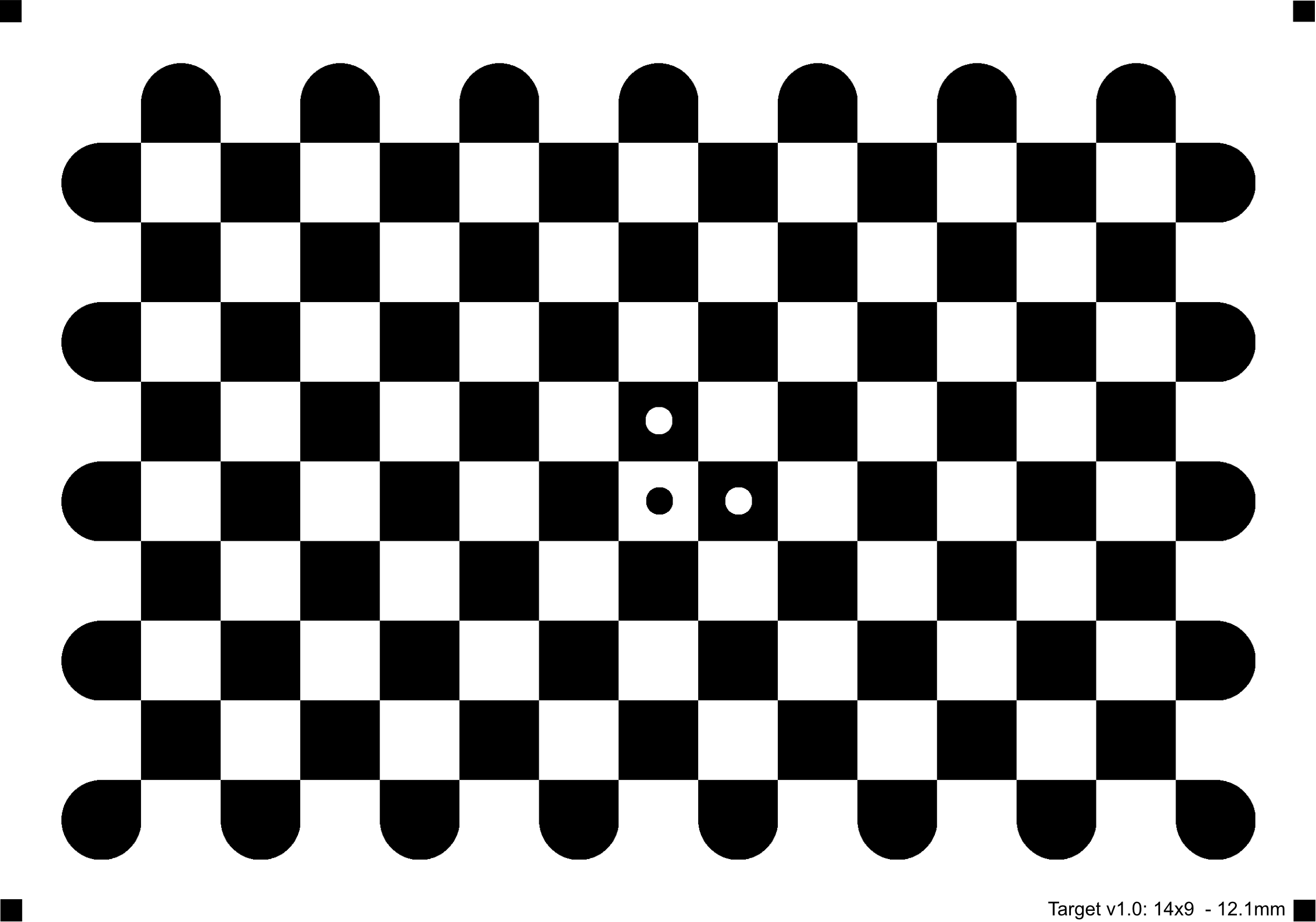
サンプルでは以下の7×10のチェスボード型のキャリブレーションパターンを使用します。
他の行列数のキャリブレーションパターンを使用したい場合は、以下を参照して作成or入手してください。
- https://docs.opencv.org/master/da/d0d/tutorial_camera_calibration_pattern.html
- https://github.com/opencv/opencv/blob/master/doc/pattern.png
また、以下のようなサークル型のパターンやセクターベース型のパターンのサンプルは用意していません。
- https://github.com/opencv/opencv/blob/master/doc/acircles_pattern.png
- https://docs.opencv.org/4.5.2/checkerboard_radon.png
Usage

undistortのサンプルで歪み補正を実施してください。
01.calibrateCamera
python 01-01_calibrateCamera.py
python 02-01_fisheyeCalibrateCamera.py
python 03-01_omnidirCalibrateCamera.py
キャリブレーションパターン検出時にEnterを押すことで撮影します。
ESCを押すことでプログラムを終了し、キャリブレーションパラメータを保存します。
実行時には、以下のオプションが指定可能です。
オプション指定
- --device
カメラデバイス番号の指定
デフォルト:- 01-01_calibrateCamera:0
- 02-01_fisheyeCalibrateCamera.py:0
- 03-01_omnidirCalibrateCamera.py:0
- --file
動画ファイル名の指定 ※指定時はカメラデバイスより優先し動画を読み込む
デフォルト:- 01-01_calibrateCamera:None
- 02-01_fisheyeCalibrateCamera.py:None
- 03-01_omnidirCalibrateCamera.py:None
- --width
カメラキャプチャ時の横幅
デフォルト:- 01-01_calibrateCamera:640
- 02-01_fisheyeCalibrateCamera.py:640
- 03-01_omnidirCalibrateCamera.py:640
- --height
カメラキャプチャ時の縦幅
デフォルト:- 01-01_calibrateCamera:360
- 02-01_fisheyeCalibrateCamera.py:360
- 03-01_omnidirCalibrateCamera.py:360
- --square_len
キャリブレーションパターン(チェスボード)の1辺の長さ(mm)
デフォルト:- 01-01_calibrateCamera:23.0
- 02-01_fisheyeCalibrateCamera.py:23.0
- 03-01_omnidirCalibrateCamera.py:23.0
- --square_len
キャリブレーションパターン(チェスボード)の1辺の長さ(mm)
デフォルト:- 01-01_calibrateCamera:23.0
- 02-01_fisheyeCalibrateCamera.py:23.0
- 03-01_omnidirCalibrateCamera.py:23.0
- --grid_size
キャリブレーションパターン(チェスボード)の行列数(カンマ区切り指定)
デフォルト:- 01-01_calibrateCamera:10,7
- 02-01_fisheyeCalibrateCamera.py:10,7
- 03-01_omnidirCalibrateCamera.py:10,7
- --k_filename
半径方向の歪み係数の保存ファイル名(csv)
デフォルト:- 01-01_calibrateCamera:K.csv
- 02-01_fisheyeCalibrateCamera.py:K_fisheye.csv
- 03-01_omnidirCalibrateCamera.py:K_omni.csv
- --d_filename
円周方向の歪み係数の保存ファイル名(csv)
デフォルト:- 01-01_calibrateCamera:d.csv
- 02-01_fisheyeCalibrateCamera.py:d_fisheye.csv
- 03-01_omnidirCalibrateCamera.py:d_omni.csv
- --xi_filename
Mei'sモデルパラメータxiの保存ファイル名(csv)
デフォルト:- 03-01_omnidirCalibrateCamera.py:xi_omni.csv
- --use_autoappend
キャリブレーションパターン検出時に自動で撮影するか否か(指定しない場合はEnterで明示的に撮影)
デフォルト:- 01-01_calibrateCamera:指定なし
- 02-01_fisheyeCalibrateCamera.py:指定なし
- 03-01_omnidirCalibrateCamera.py:指定なし
- --interval_time
use_autoappend指定時の撮影間隔(ms)
デフォルト:- 01-01_calibrateCamera:500
- 02-01_fisheyeCalibrateCamera.py:500
- 03-01_omnidirCalibrateCamera.py:500
02.undistort
python 01-02_undistort.py
python 02-02_fisheyeUndistort.py
python 03-02_omnidirUndistort.py
実行時には、以下のオプションが指定可能です。
オプション指定
- --device
カメラデバイス番号の指定
デフォルト:- 01-01_calibrateCamera:0
- 02-01_fisheyeCalibrateCamera.py:0
- 03-01_omnidirCalibrateCamera.py:0
- --file
動画ファイル名の指定 ※指定時はカメラデバイスより優先し動画を読み込む
デフォルト:- 01-01_calibrateCamera:None
- 02-01_fisheyeCalibrateCamera.py:None
- 03-01_omnidirCalibrateCamera.py:None
- --width
カメラキャプチャ時の横幅
デフォルト:- 01-01_calibrateCamera:640
- 02-01_fisheyeCalibrateCamera.py:640
- 03-01_omnidirCalibrateCamera.py:640
- --height
カメラキャプチャ時の縦幅
デフォルト:- 01-01_calibrateCamera:360
- 02-01_fisheyeCalibrateCamera.py:360
- 03-01_omnidirCalibrateCamera.py:360
- --k_filename
半径方向の歪み係数の読み込みファイル名(csv)
デフォルト:- 01-01_calibrateCamera:K.csv
- 02-01_fisheyeCalibrateCamera.py:K_fisheye.csv
- 03-01_omnidirCalibrateCamera.py:K_omni.csv
- --d_filename
円周方向の歪み係数の読み込みファイル名(csv)
デフォルト:- 01-01_calibrateCamera:d.csv
- 02-01_fisheyeCalibrateCamera.py:d_fisheye.csv
- 03-01_omnidirCalibrateCamera.py:d_omni.csv
- --xi_filename
Mei'sモデルパラメータxiの読み込みファイル名(csv)
デフォルト:- 03-01_omnidirCalibrateCamera.py:xi_omni.csv
- --k_new_param
Knewパラメータ指定時のスケール
デフォルト:- 01-01_calibrateCamera:1.0
- 02-01_fisheyeCalibrateCamera.py:0.9
- 03-01_omnidirCalibrateCamera.py:0.5
Reference
- OpenCV Camera Calibration Tutorial
- OpenCV Camera Calibration and 3D Reconstruction
- OpenCV Fisheye camera model
- OpenCV Omnidirectional Camera Calibration
Author
高橋かずひと(https://twitter.com/KzhtTkhs)
License
OpenCV-CameraCalibration-Example is under Apache-2.0 License.

 5 May 05, 2022
 157 Aug 23, 2022
 221 Dec 26, 2022
 26 Dec 13, 2022
 1 Nov 15, 2021
 5 Jan 23, 2022
 17 Nov 03, 2022
 117 Dec 28, 2022
 5 Dec 14, 2022
 4 Oct 18, 2022
 128 Sep 12, 2022
 4 Feb 18, 2022
 3 Feb 15, 2022
 686 Dec 26, 2022
 27.5k Jan 08, 2023
 2 Nov 11, 2021
 4 Jun 16, 2022
 19 Nov 17, 2022
 581 Nov 22, 2022
 36 Dec 15, 2022